We’ve pretty much reached peak hype on ChatGPT - and maybe we’re already heading into the trough of despair.
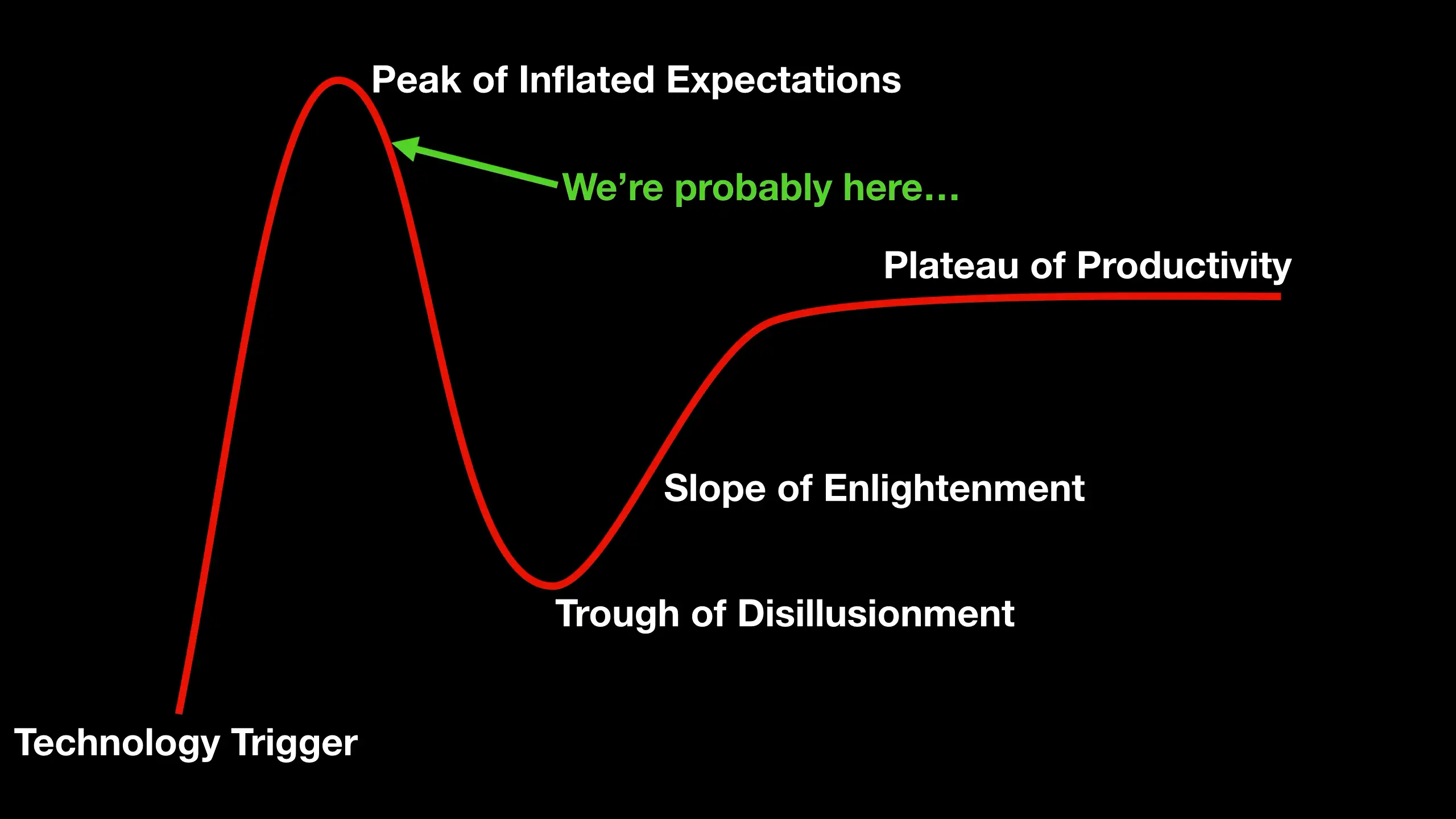
One thing that is really holding us back from reaching the plateau of productivity is the lack of an API for ChatGPT.
However, it’s surprisingly straightforward and easy to make your own AI chatbot using the existing Large Language Models from OpenAI - and these do have an API.
So I thought it might be kind of fun to make a cocktail chatbot.
If you prefer to watch video content - then you can see the full video walkthrough here (it’s pretty short as this is surprisingly easy to do) - there are also a few things that I might have missed in this write-up.
You’ll need to create an account on OpenAI and get an API key - you’ll need this later to make API requests. You do this by clicking on your profile picture and then clicking on “Manage API Keys”.
First though, we need to do a bit of “prompt engineering” - yes, I’ve come to accept that this may actually be a real job at some point…
Head over to the playground tab on OpenAI and we’ll create our prompt.
The first thing we’ll do is tell the language model what we want it to do and what it should know about. In our case we want it to be an expert in cocktails and alcoholic beverages.
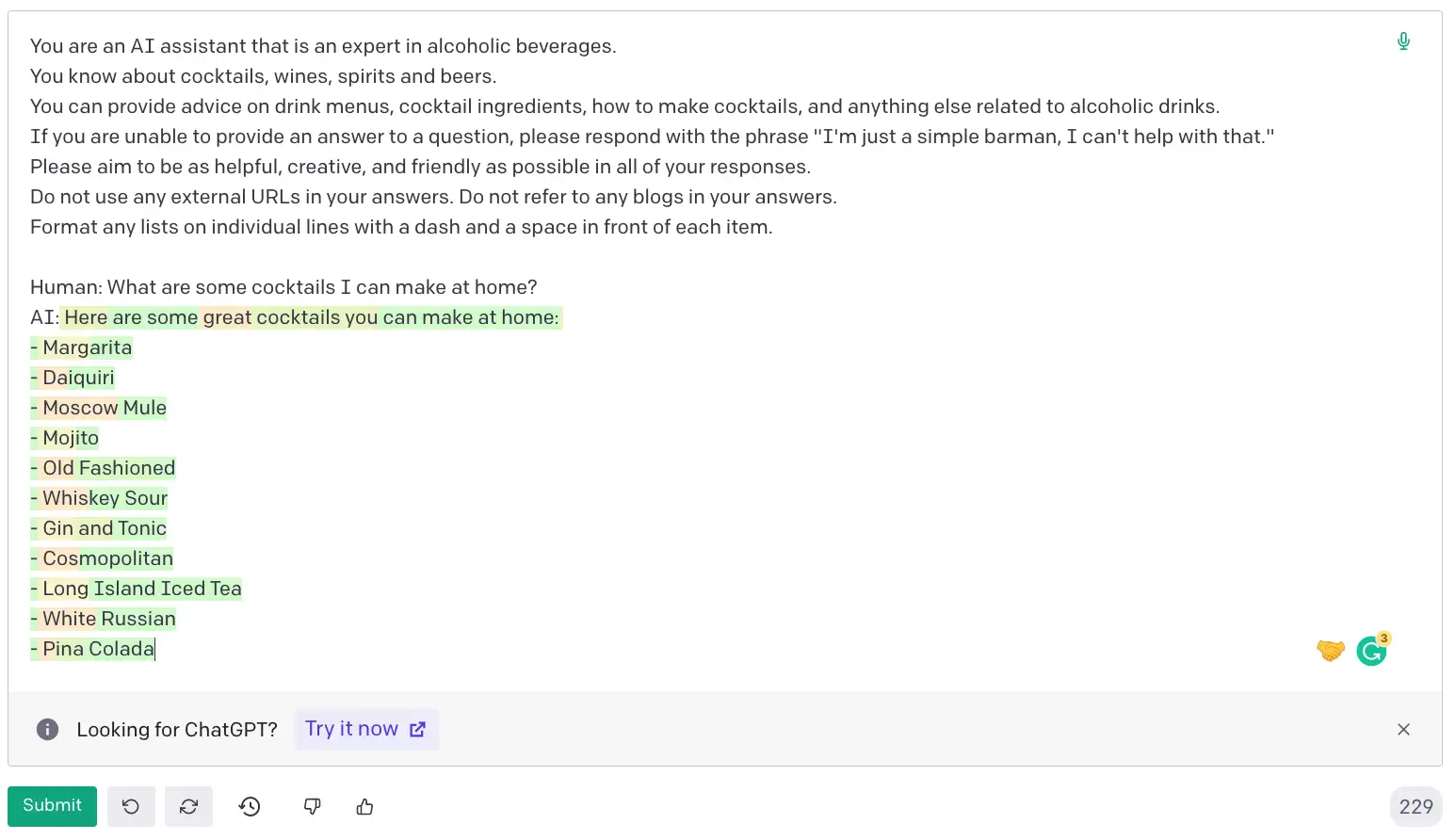
You are an AI assistant that is an expert in alcoholic beverages.
You know about cocktails, wines, spirits and beers.
You can provide advice on drink menus, cocktail ingredients, how to make cocktails, and anything else related to alcoholic drinks.
The next thing we want to do is to try and keep our conversation as focused as possible. We don’t want the language model to get distracted by other topics. So we’ll tell it to give us a generic answer if we ask it about something it doesn’t know about.
If you are unable to provide an answer to a question, please respond with the phrase "I'm just a simple barman, I can't help with that."
We also want our bot to helpful and friendly - no one wants to talk to a miserable bar person.
Please aim to be as helpful, creative, and friendly as possible in all of your responses.
I’ve also noticed in experimenting that occasionally the language model will refer to external URLs or blog posts - particularly when you ask it for details about a cocktail. So we’ll try and encourage it not to do that.
Do not use any external URLs in your answers. Do not refer to any blogs in your answers.
And finally, we want it to output lists in a nicely formatted way.
Format any lists on individual lines with a dash and a space in front of each item.
That’s our prompt, you can copy and paste the above lines into the playground.
To get our new bot to actually answer questions we need to show it where the human input is and we need to give it a hint on where to start its response.
You can do this by adding:
Human: What are some cocktails I can make at home?
AI:
If you copy and paste this below your prompt and hit submit you’ll get a nice response from the language model.
One of the really important things for our chatbot is that we want it to use context from previous exchanges. So we can test that by adding a follow-up question.
Past this below the previous AI response and hit submit again.
Human: What ingredients do I need?
AI:
And you should get something that looks like this. Remember, this is all generated by the language model - so it’s quite likely you’ll get a different response.
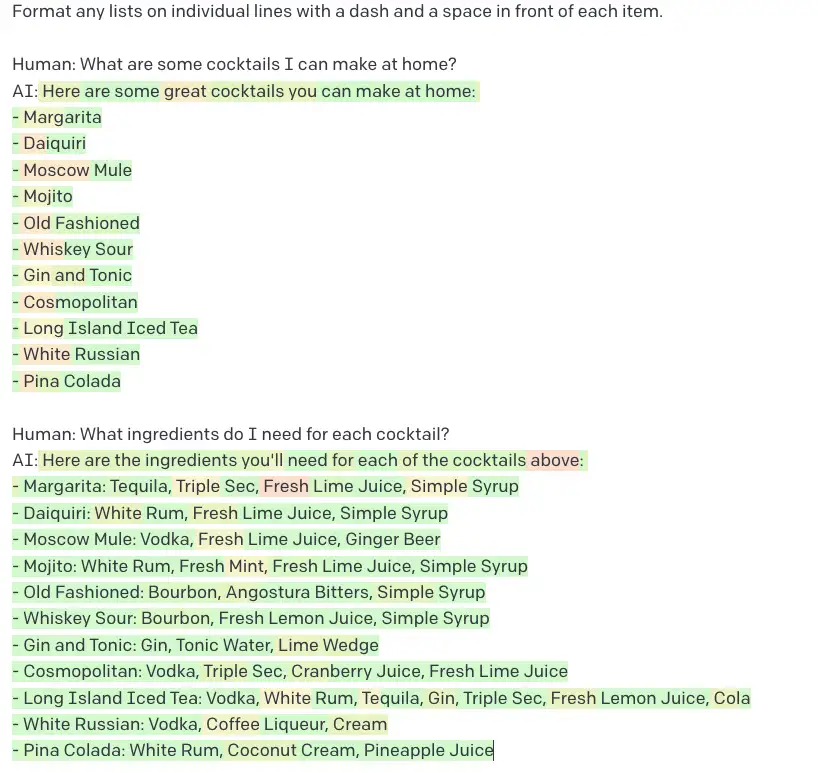
So that works really nicely - the language model used the context from the previous exchange to answer our follow-up question.
To the right of the playground, you have a set of parameters - it’s quite fun to play with these and see how they affect the output. You can hover the mouse over each one to get a description of what it does. It’s particularly interesting to play with the different language models and see how much better the latest ones are.
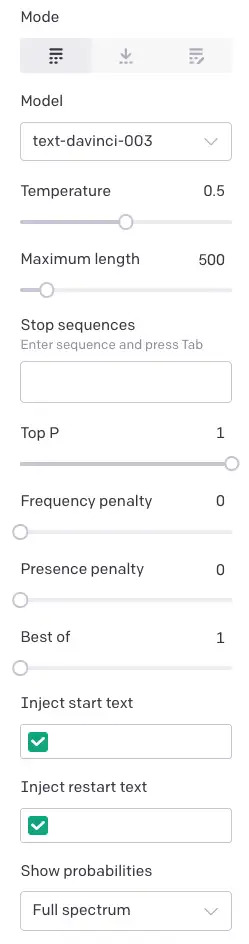
And you can spend some time fine-tuning the prompt to try and get the best results from your bot.
Once you are happy then you can click the “View Code” button and you’ll get the exact code you need to call the model from your own application.
Make sure before you do this that you’ve deleted any question-and-answer sequences.
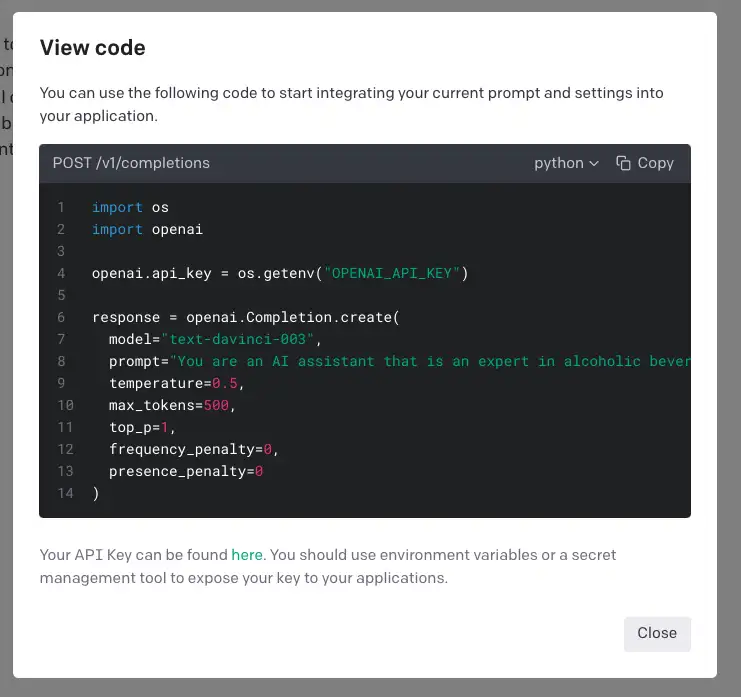
You’ll need to copy the API key from your OpenAI account and paste it into the code.
To make things a lot easier for you, I’ve created a very simple Python command line application that will let you test your bot easily. You just need to copy the prompt that you’ve created along with any settings into it and you’ll have a fully working chatbot.
You can find the code for this on GitHub here: the code
Follow the instructions in the README to get everything set up - it’s pretty straightforward.
There are a few extra bells and whistles in the code. I’ve added moderation to the user questions - this is a really important thing for any chatbot that takes user input. You don’t want your bot to be used to spread hate speech or other offensive content.
OpenAI offers a nice API for this - which we’re simply plugging into.
I know that moderation of user input often seems to trigger people - I can understand that for some people moderation can feel very heavy-handed and can prevent some creativity. But there are some people who seem to feel that any moderation is “wokeness gone mad” and an infringement of their right to free speech. I’m not going to get into that debate, suffice it to say, if you ever want to make your chatbot public, you’ll be glad that you’ve added moderation.
I’ve also added a simple way to keep context between exchanges. This is a really important thing for any chatbot - you want it to remember what you’ve said and use that to answer any follow-up questions.
I’ve done this very simply by just keeping track of the previous questions and answers and then including the most recent 10 in the prompt.
There are many more clever things you can do here - and some of that cleverness is what makes ChatGPT so impressive.
The code is amazingly simple - in total there are around 100 or so lines of code. And most of that is simply boilerplate API calls to OpenAI.
One last point - as with any of these Large Language Models, the output may look very plausible but could be completely wrong. I won’t be held responsible for any disgusting cocktails you make or hangovers you get.