Is SOT666 Really Standard? Spoiler: Not Really
I’ve been investigating some quality assurance failures on my ESP32 rainbow boards and tracked a few issues down to a USBLC6 ESD protection IC in a SOT666 package. Under the microscope, it looked like the footprint didn’t quite match the package — like it had missed alignment and hadn’t soldered on properly.
I fixed the immediate problem by reflowing the solder and pushing the device into place. But this should be automatic — the pick and place machine puts the component down and solder tension should pull it into alignment. So I started wondering: is the footprint actually correct?
The Problem: Footprint vs Datasheet
Opening up the schematic in KiCad, the USBLC6 is assigned a SOT666 footprint. That’s the correct package — so far so good.
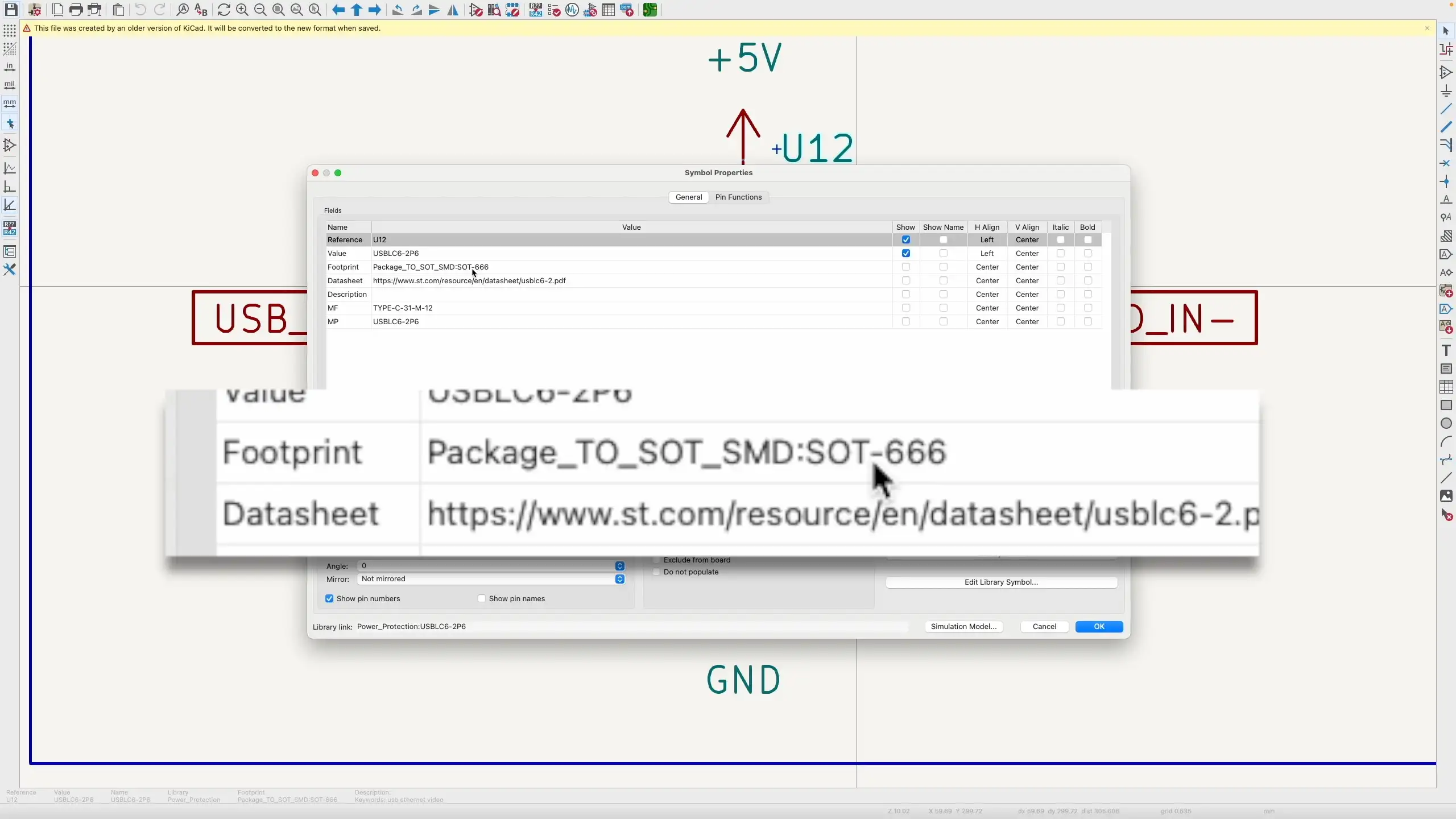
But when I compared the KiCad footprint against the recommended footprint in the USBLC6 datasheet, things looked pretty different.
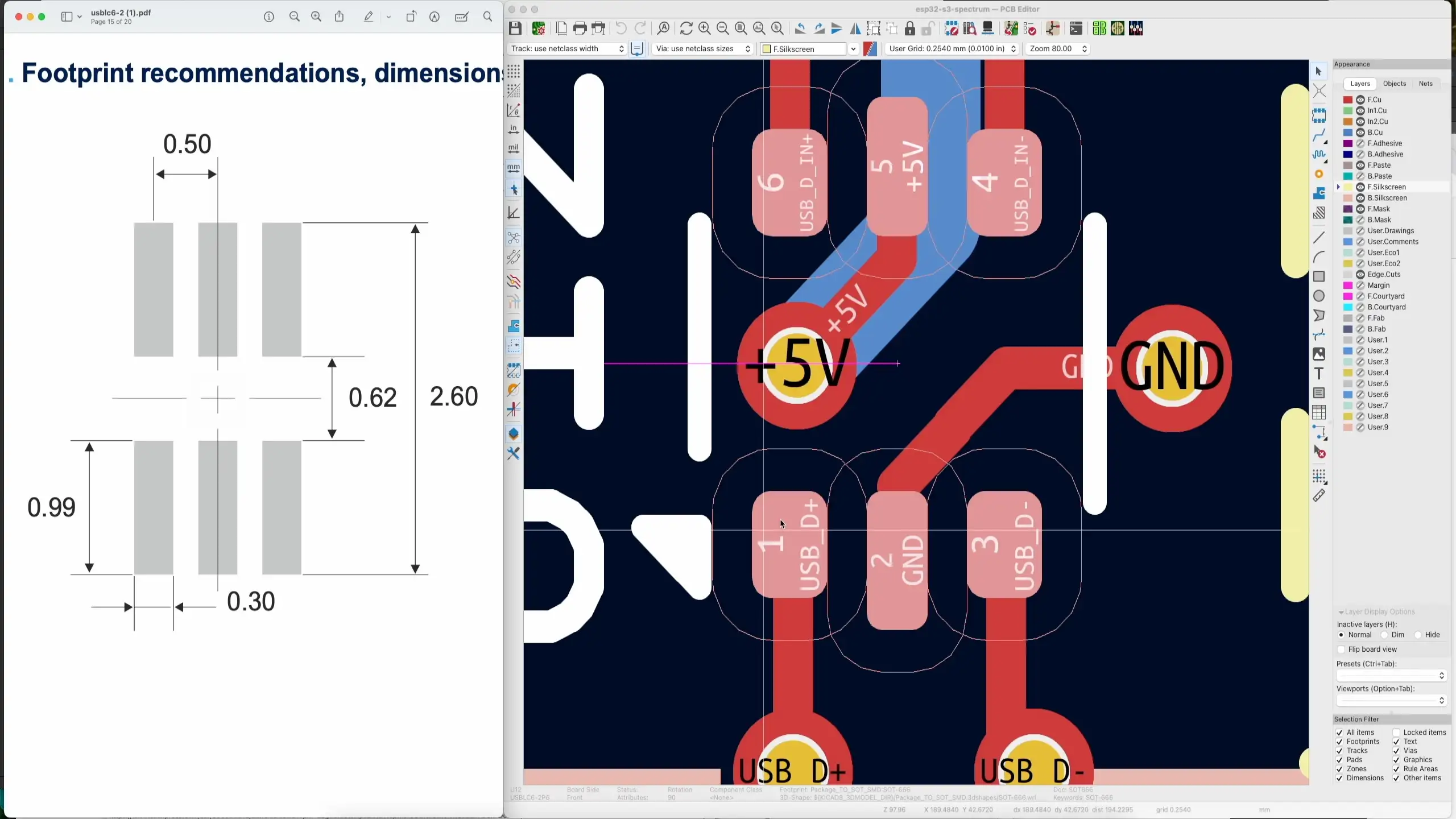
The KiCad footprint for SOT666 is completely different from the footprint in the datasheet — even though they’re both supposed to be SOT666.
So Is KiCad Wrong?
Maybe. But it’s not that simple.
If you Google “SOT666” you’ll find all sorts of different footprints from different manufacturers. Here’s how they stack up:
- Nexperia’s SOT666 definition — looks very similar to KiCad’s version. In fact, I think KiCad’s footprint is based on this one.
- ST’s USBLC6 datasheet — has its own recommended footprint with quite different dimensions.
- Diodes Incorporated’s SOT666 — yet another completely different suggested pad layout.
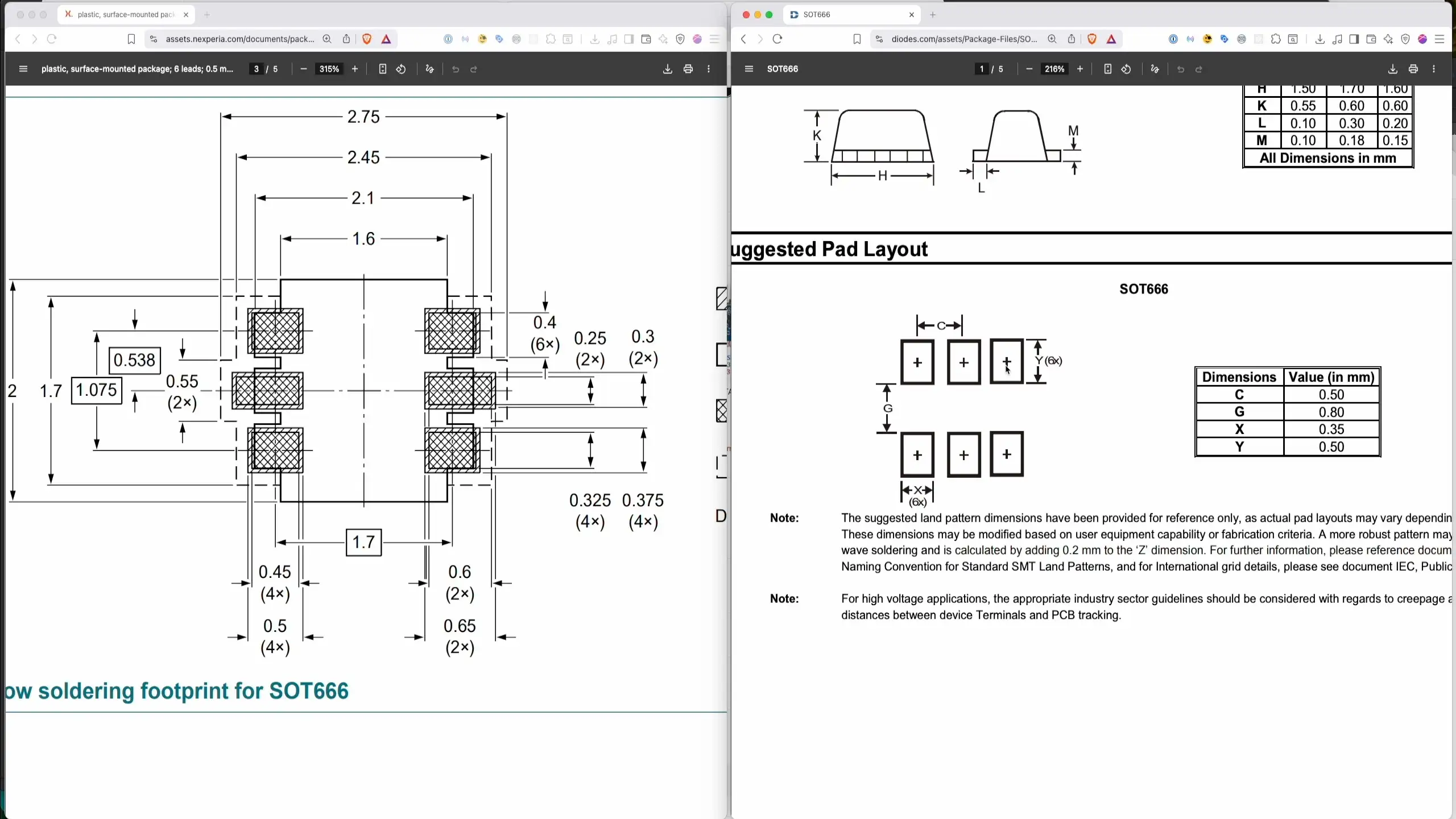
So you’ve got a “standard” package name — SOT666 — but every manufacturer seems to have their own opinion about what the footprint should look like.
Checking EasyEDA for Comparison
I thought it might be instructive to check another EDA package. In EasyEDA, the SOT666 footprint for the USBLC6-2P6 is different again:
- Pad width (PW1): 0.3 mm — this actually matches the ST datasheet
- Pad length (PL1): 0.85 mm — the ST datasheet says 0.99 mm, so still different
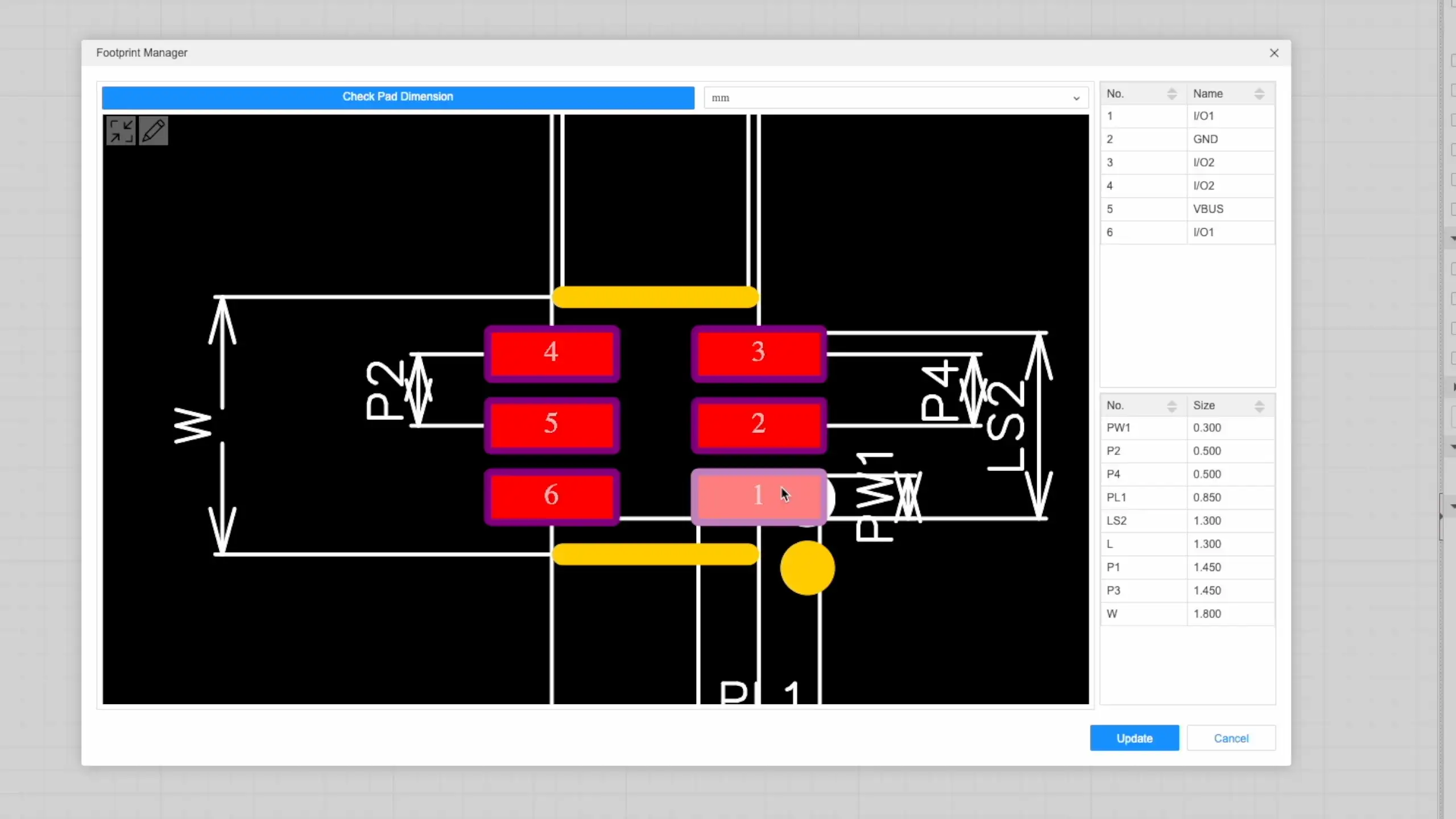
Three different tools, three different footprints, all for the same “standard” package. Not exactly confidence-inspiring.
The Lesson: Always Follow the Datasheet
The basic conclusion is that although these packages share the same name, the footprints are not really standardised. Everything is randomly different.
The advice: look in the datasheet and use what’s in the datasheet. Don’t rely on the standard package names because they might not quite match up with your specific component.
Creating a Custom Footprint in KiCad
Fortunately, it’s really easy to create footprints in KiCad. Using the footprint wizard with the SOIC template, I just needed to plug in the values from the ST datasheet:
- Pad count: 6 (two rows of 3)
- Pitch: 0.5 mm
- Pad width: 0.3 mm
- Pad length: 0.99 mm
- Row spacing: 1.61 mm (0.62 mm gap + 0.99 mm pad length)
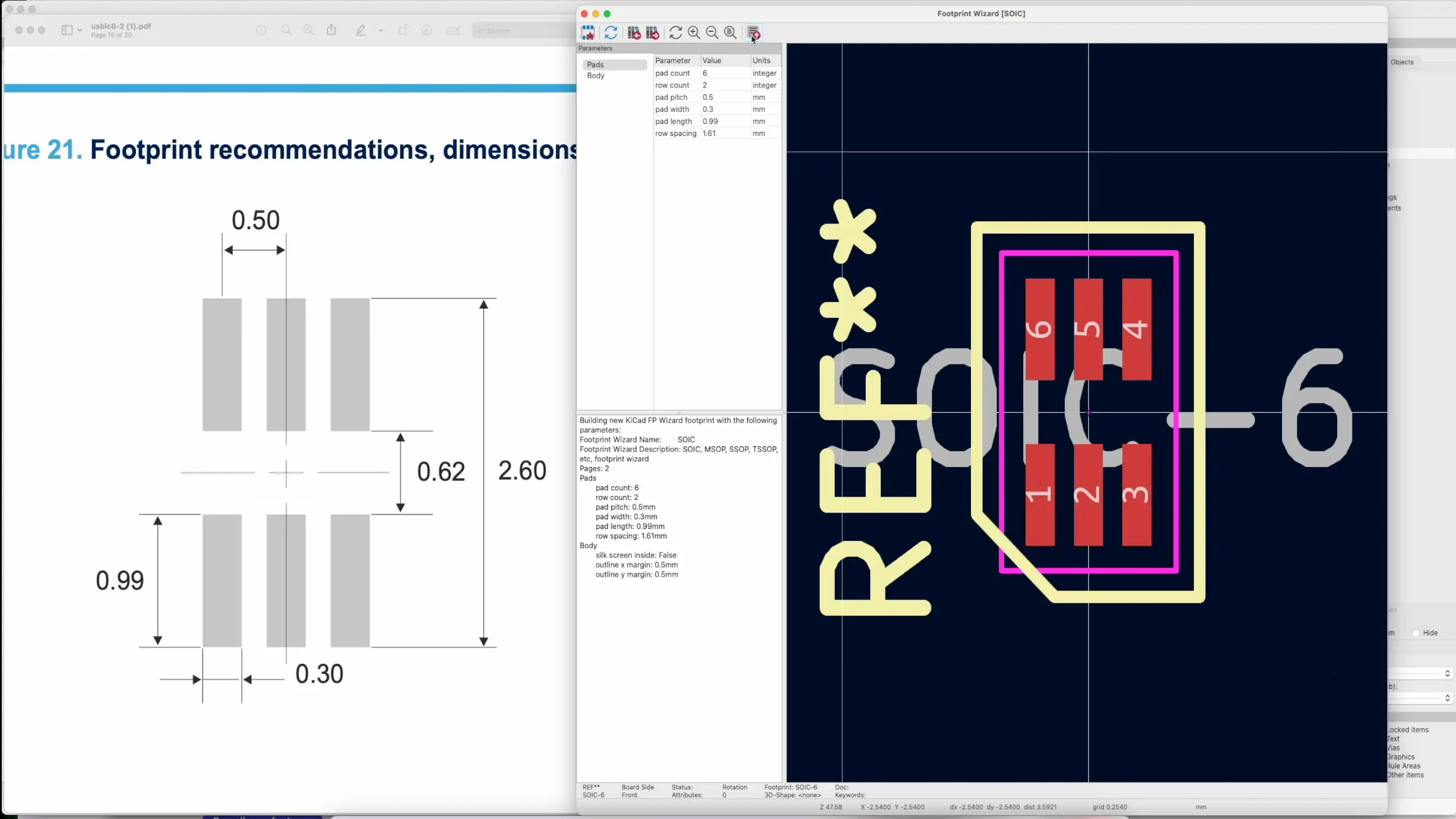
A quick sanity check with the ruler confirmed everything matched the datasheet — the 0.62 mm gap between rows and 2.6 mm overall dimensions were spot on.
Updating the PCB
It took a bit of finagling — I had to make some traces slightly thinner so they didn’t collide — but the new footprint dropped into the design nicely.
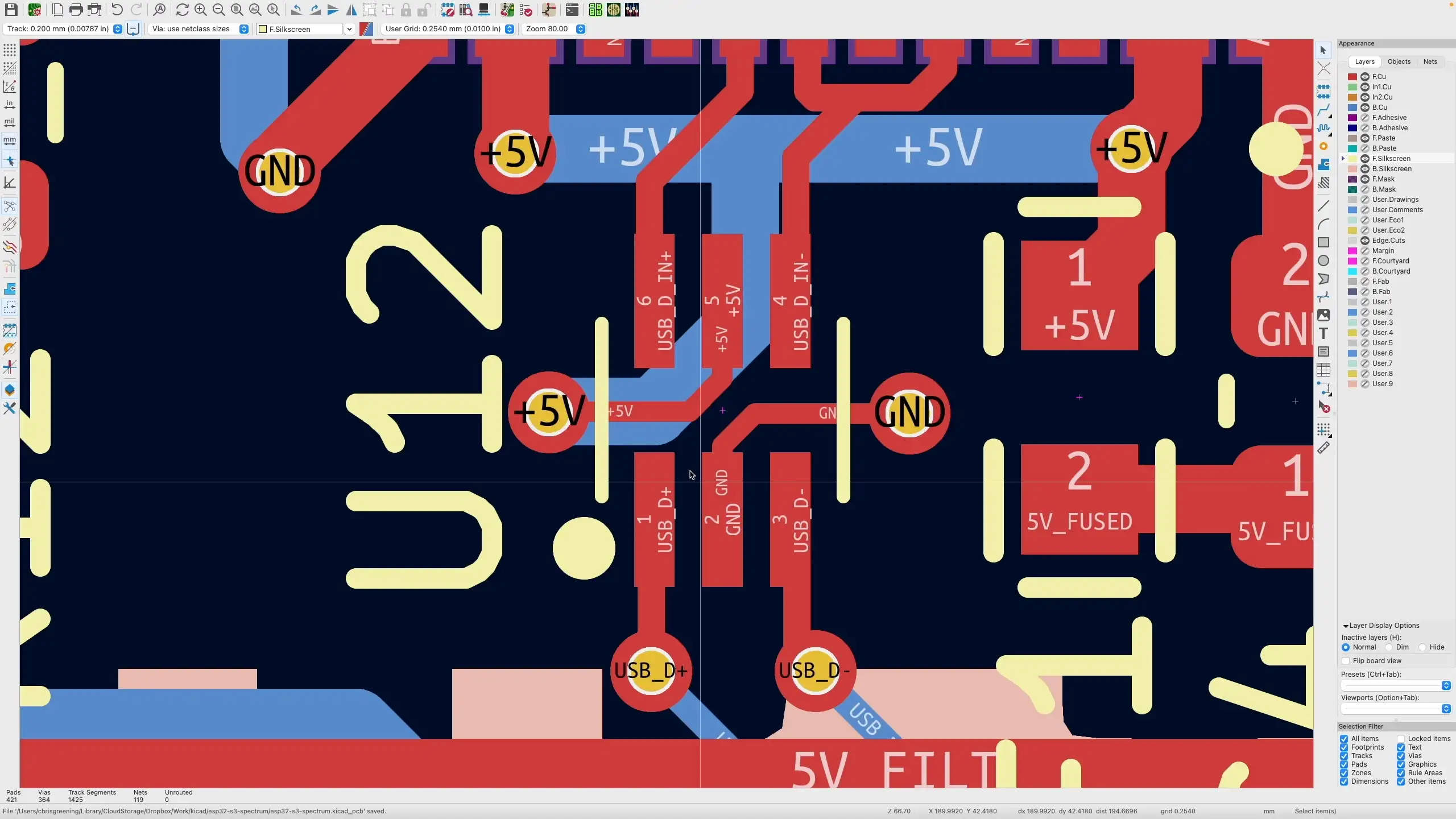
The 3D preview looks good. Obviously the proof of the pudding will be the next production run, but it matches the datasheet now — so fingers crossed it will eliminate this class of QA errors.
Wrapping Up
If you’re designing PCBs, don’t assume that a standard package name means a standard footprint. Always cross-reference with your specific component’s datasheet. It only takes a few minutes to create a custom footprint in KiCad, and it could save you from chasing down mysterious assembly failures.